Spreadsheet (xlsx)
Can be edited in Excel and other applications that support spreadsheets (xlsx).

Basic Information

GUID
A unique ID by which the database identifies the keyswitch.
Example
d1efb793-600d-4f40-85dc-2253e1b05aa6
Developer Name
Developer’s Information
Example
Native Instruments
Product Name
Product Name Information
Example
SYMPHONY ESSENTIALS – STRING ENSEMBLE
Instrument Name
Instrumet name information
Example
Violins 1
Description
Keyswitch Description
Example
My KeySwitch definition
Articulation management
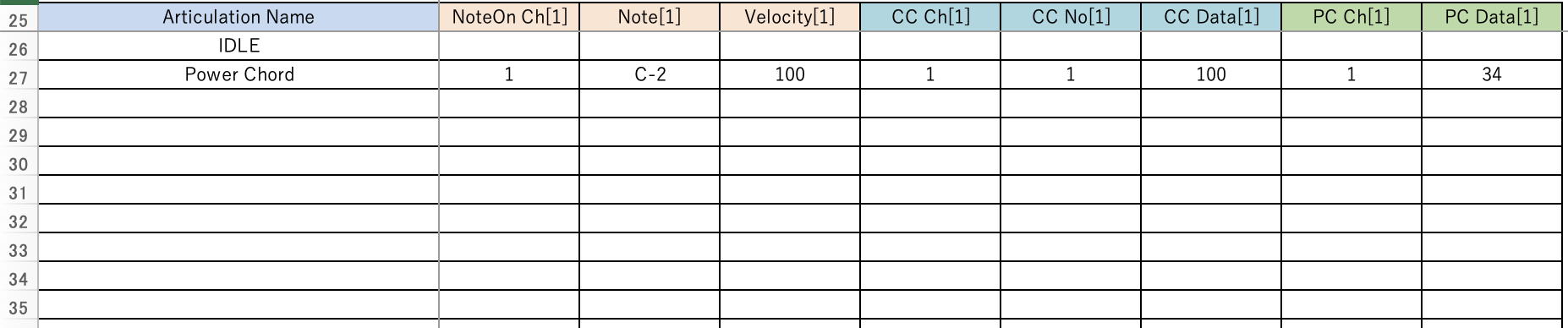
Specify one articulation per line. For each column that represents a MIDI message, fill in the required values.
Articulation Name
articulation name
NoteOn
MIDI Note On
- Ch:
MIDI Channel
- Note:
MIDI note numbers or scale names can be used.
- Velocity:
velocity
CC (Control Change)
- Ch:
MIDI Channel
- No:
Control change number
- Data:
Control change data
Program Change
- Ch:
MIDI Channel
- Data:
PC Data
When specifying multiple MIDI messages
Duplicate the corresponding column and add +1 to the numeric part.
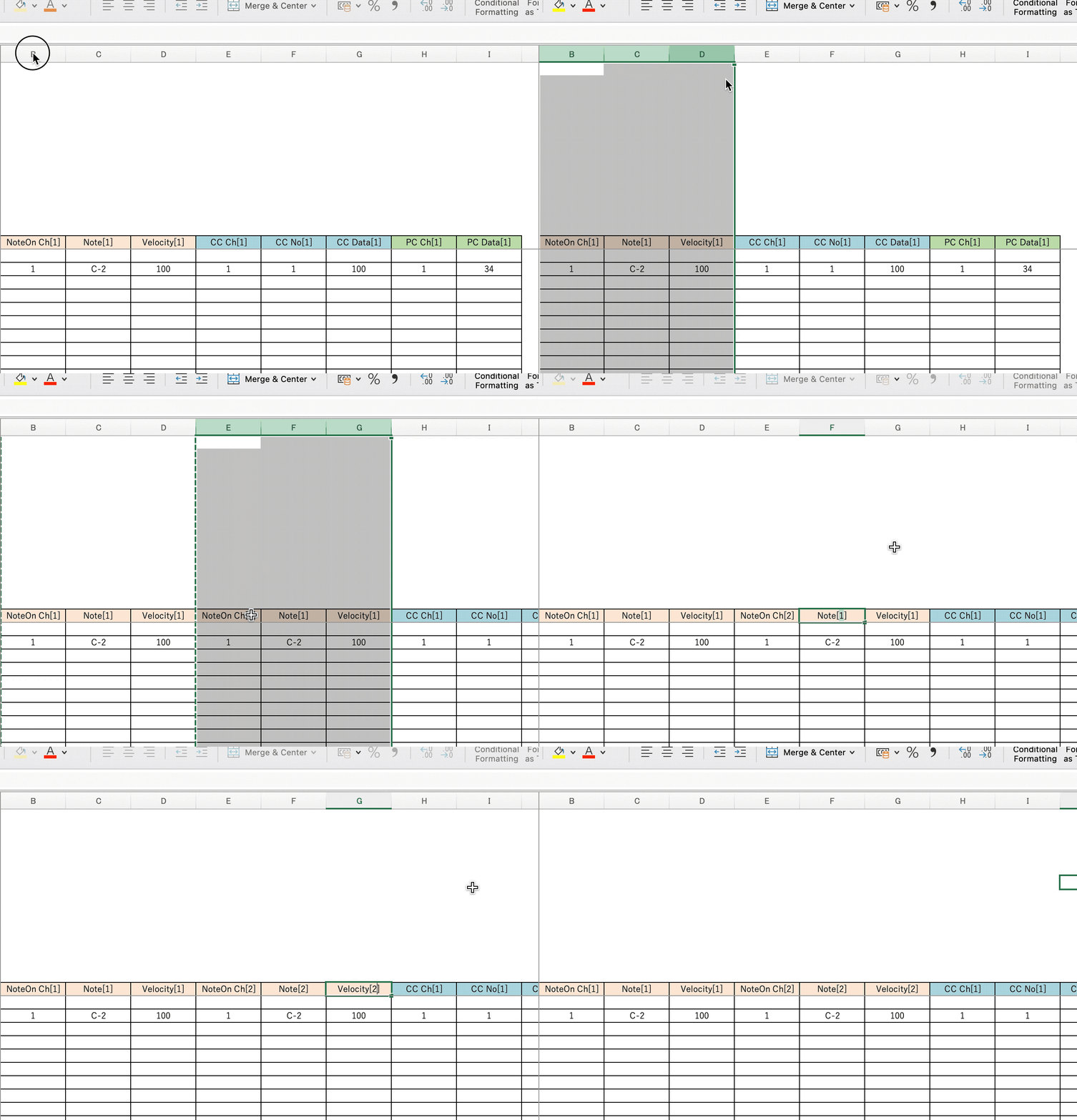
Example 1: MIDI Note On
NoteOn Ch[1]
Note[1]
Velocity[1]
Duplicate these columns and
NoteOn Ch[2]
Note[2]
Velocity[2]
Increase the number part by +1
Example 2: MIDI control change
CC Ch[1]
CC No[1]
CC Data[1]
Duplicate these columns and
CC Ch[2]
CC No[2]
CC Data[2]
Increase the number part by +1
Example 3: MIDI Program Change
PC Ch[1]
PC Data[1]
Duplicate these columns and
PC Ch[2]
PC Data[2]
Increase the number part by +1
To manage multiple sheets in one file
You can duplicate as many sheets as you need and keep them in a single file.
Note
GUIDs cannot be reused and must be generated manually.